Skip to content
+91-9915718004 info@toshiconsulting.com Monday – Friday · 10:00 AM – 6:00 PM IT Park Panchkula, Haryana
Request Callback
Shipped product Live demo available

Reporting

AI conversational analytics and live dashboards for urban governance

  • Multi-tenant ready
  • Production deployed
  • Web + mobile

Overview

Reporting (codename URBI) is an AI conversational-analytics and live-dashboard platform built for Haryana Urban Local Bodies, Smart City operations, and Rural Governance. An officer asks a question in plain English or Hindi — "Show ward-wise garbage collection status" or "पिछले 24 घंटे में हल हुई शिकायतें" — and within seconds gets a validated SQL query, a rendered chart or KPI, and officer-grade written insight. It is, in effect, ChatGPT + Power BI + a Smart City command center, scoped to municipal data and locked behind a hard safety boundary.

A live demo runs at ulbdemo.sentinal-ai.in.

Stack:

  • Frontend — Next.js 15 (App Router), TypeScript, Tailwind, shadcn/ui, Apache ECharts, Framer Motion
  • Backend — FastAPI, SQLAlchemy 2.x (async), sqlglot SQL validator, OpenAI structured outputs (with a Groq provider fallback), Server-Sent Events and WebSockets
  • Database — PostgreSQL, modeled across seven governance domains: complaints, sanitation, property tax, streetlights, water supply, traffic monitoring, and rural funds

Problem Statement

Municipal and government data sits in disconnected silos, and the people who most need answers from it — commissioners, engineers, department heads, field officers — generally can't write SQL. Reporting today means raising a request, waiting on a data team, and getting a static spreadsheet days later.

That creates three problems Reporting is designed to solve:

  1. Self-serve analytics without SQL. Officers should be able to interrogate live data in natural language and get an answer immediately, not file a ticket.
  2. Local-language access. Haryana governance runs in Hindi as much as English, so the assistant and its insights must be bilingual.
  3. Safety as a non-negotiable. The moment you let an LLM generate SQL against a government database, you've created an attack surface. The design treats the AI as untrusted and puts a hard validator between it and the data.

Case Study

Natural-language → safe-SQL pipeline

The heart of Reporting is a guarded orchestrator. A question flows through app/ai/orchestrator.py, which (1) short-circuits conversational/meta queries before spending tokens, (2) calls the AI provider with structured_completion to produce a typed DashboardPlan{ title, chartType, sql, x_axis, y_axis, rationale }, (3) runs that SQL through the validator, (4) executes it under a per-session Postgres statement_timeout, and (5) makes a second AI pass to generate an officer-level insight in the requested language.

The validator as trust boundary

app/services/sql_validator.py parses every AI-generated string with sqlglot at the AST level and rejects anything that isn't a single SELECT. It blocks mutations, multi-statement payloads, dangerous server-side functions, and enforces a table allowlist — only the seven domain tables are readable. The AI never touches database credentials.

Self-correction

When the first plan fails validation or Postgres rejects it, the orchestrator feeds the error back to the model for one corrected retry. Structural failures (off-topic questions, allowlist violations) are not retried; the user gets a clear scope message instead.

URBI assistant and dashboards

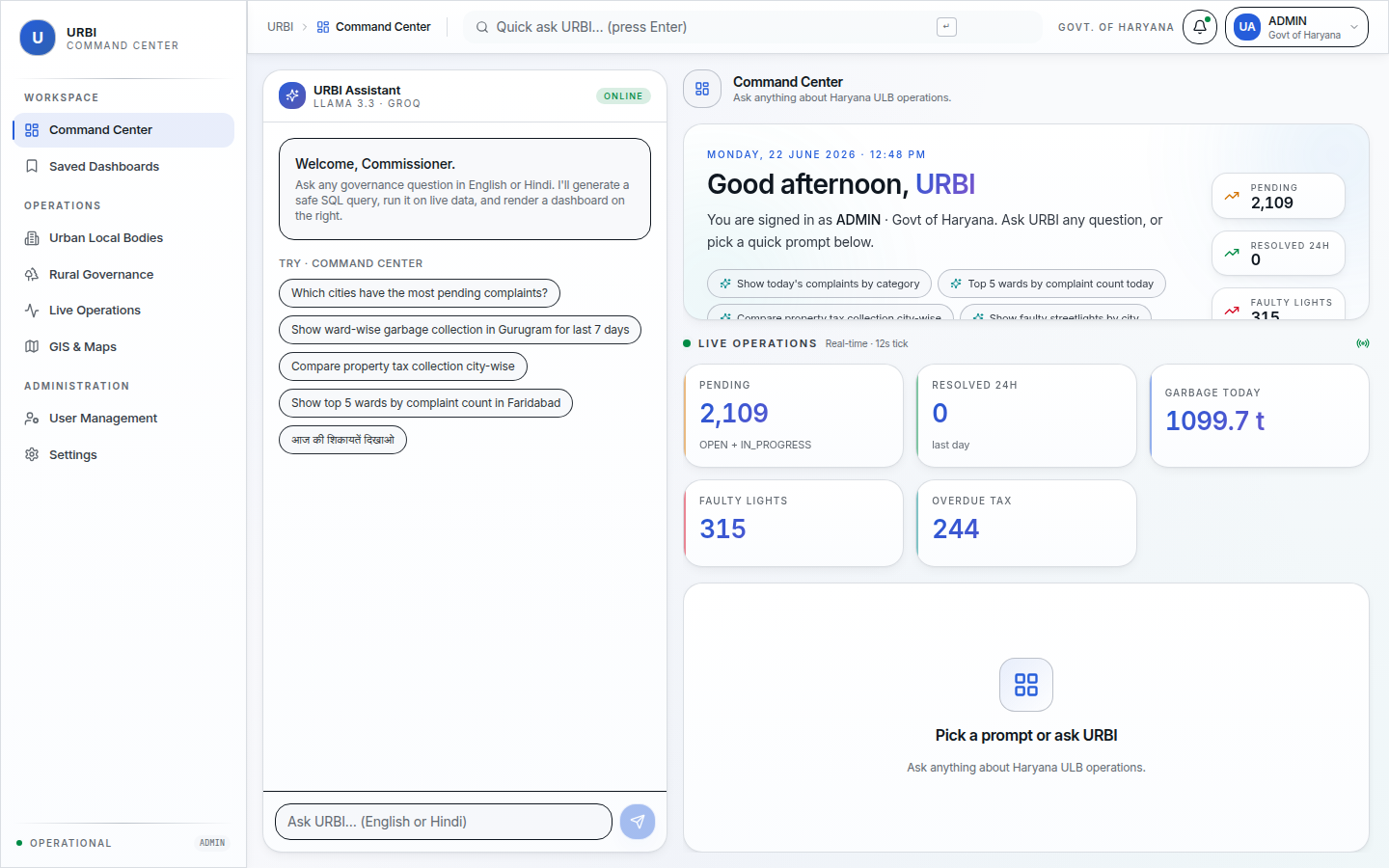
The frontend is a two-pane Command Center — the URBI chat assistant alongside a dynamic dashboard renderer that mounts ECharts charts, KPI cards, sortable data tables, heatmaps, and maps from the AI's structured plan.

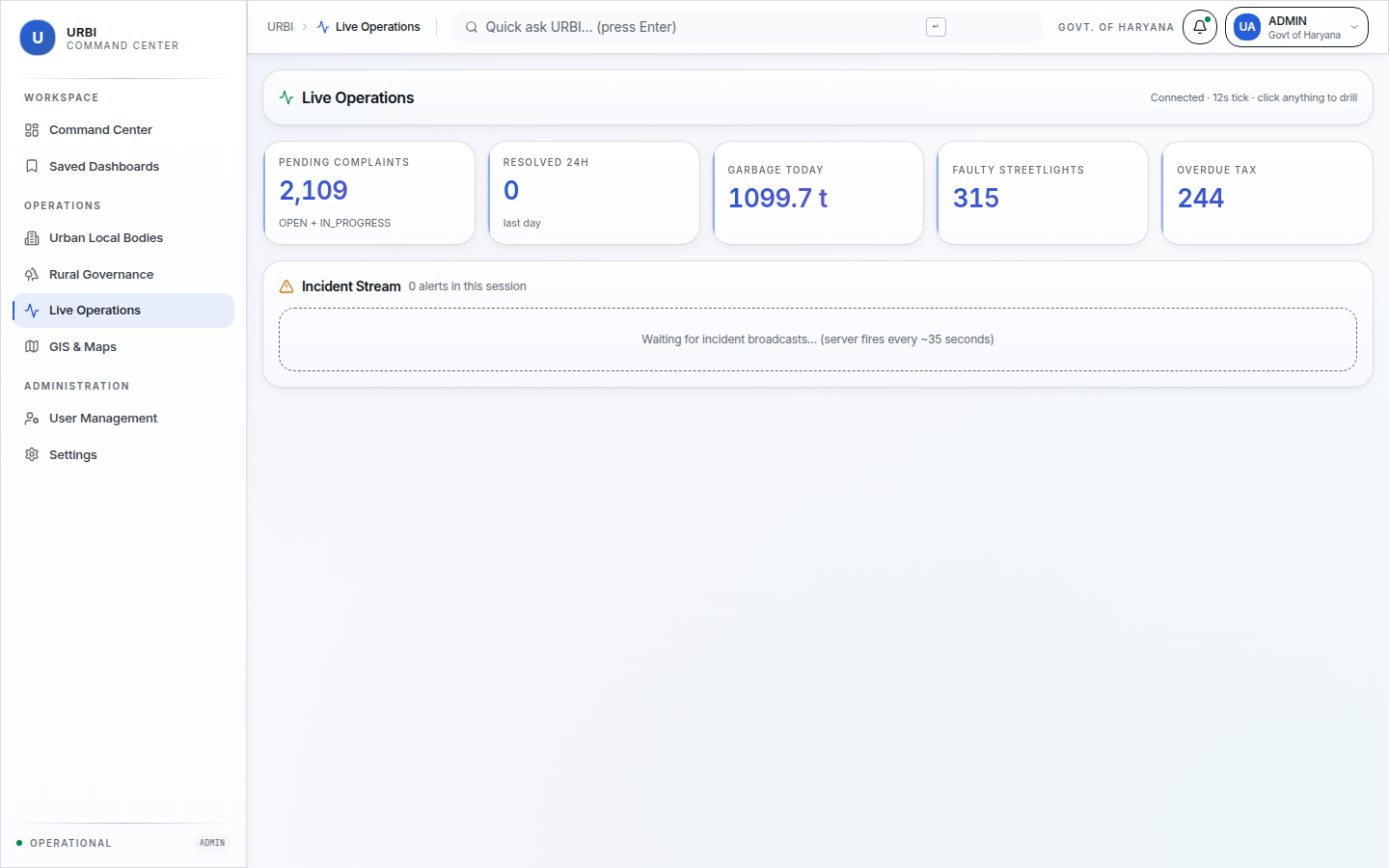
Live Operations

A WebSocket feed drives a real-time ops view with KPI tiles that tick on a ~12-second cadence — pending complaints, resolved-in-24h, garbage tons today, faulty streetlights, overdue tax — plus severity-graded incident alerts. Every tile is click-to-drill, firing a natural-language prompt back into the assistant.

Role-based access

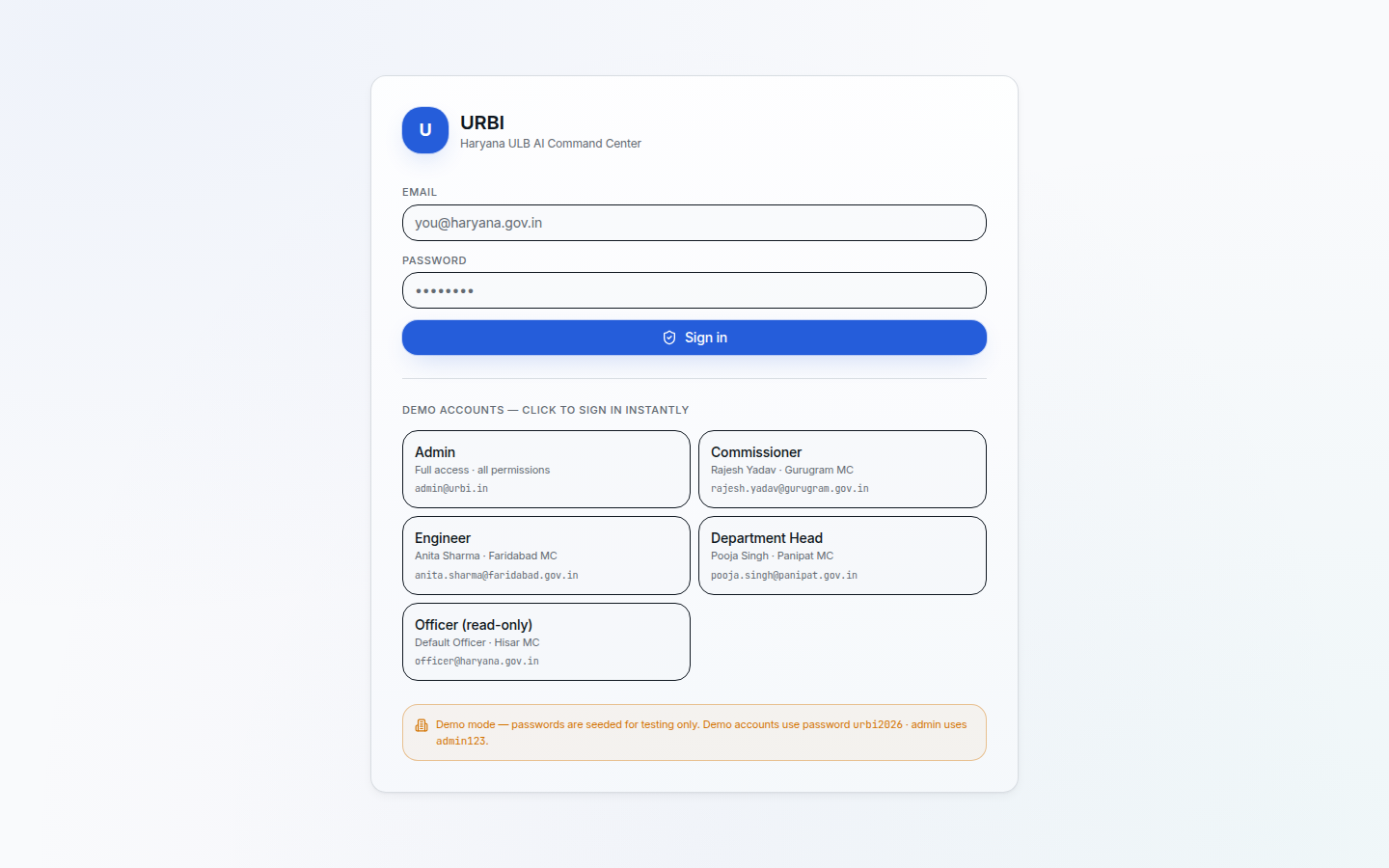
Authentication spans ADMIN, COMMISSIONER, ADMINISTRATOR, ENGINEER, DEPARTMENT_HEAD, and OFFICER roles. The login screen offers one-click demo presets — Commissioner (Gurugram), Engineer (Faridabad), Department Head (Panipat), and read-only Officer (Hisar) — each backed by a seeded municipal persona.

Screenshots

Role-based login for municipal officers
Secure sign-in with permissions mapped to operational roles.
Command Center dashboard with URBI assistant
Executive overview with AI assistant, KPI tiles, and drill-down navigation.
Live Operations view
Real-time operational metrics and incident tracking for field teams.

Interested in Reporting?

Talk to our team about deployment, customization, or a demo for your organization.